Product Experience Walkthrough
Step 1: Entry Point - Upload or Explore
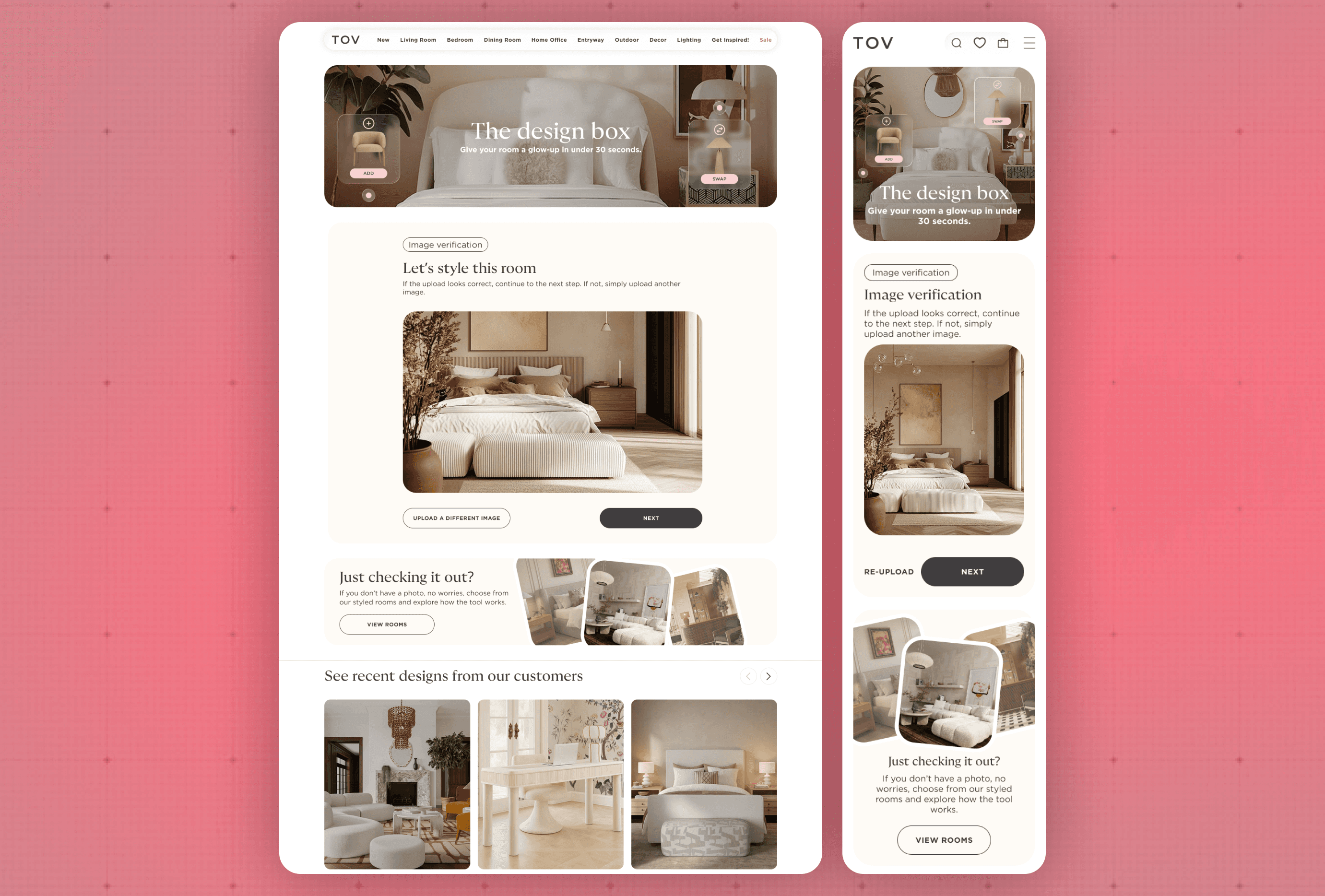
Users are welcomed with a simple prompt to upload an image of their room.
For lower-friction exploration, pre-designed sample rooms are also available.
This step is designed to:
Encourage immediate engagement, lower the barrier to trying the tool, guide users toward personalizing the experience.
Step 2: Define Intent + AI Recognition
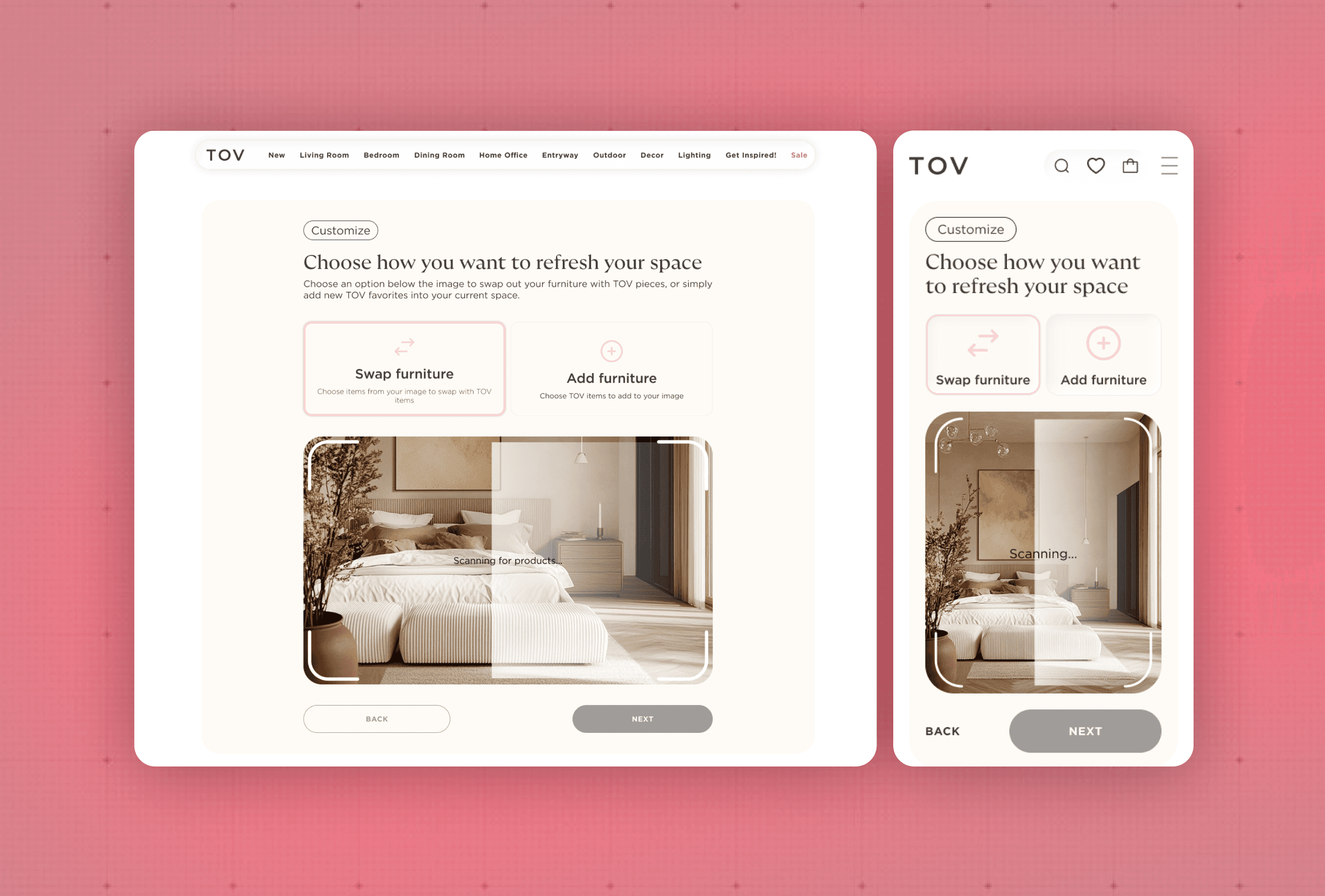
After uploading an image, users choose how they want to interact with their space, Add new furniture or swap existing pieces
If the user selects “Swap,” the AI immediately begins analyzing the image to identify existing furniture within the room. The system detects and categorizes items (e.g., sofa, coffee table, chair), preparing the space for targeted interaction.
This step is critical in:
Establishing user intent early
Leveraging AI to interpret the space
Setting up a seamless, personalized experience
Step 3: Interactive Mapping - Select & Match
Once scanning is complete:
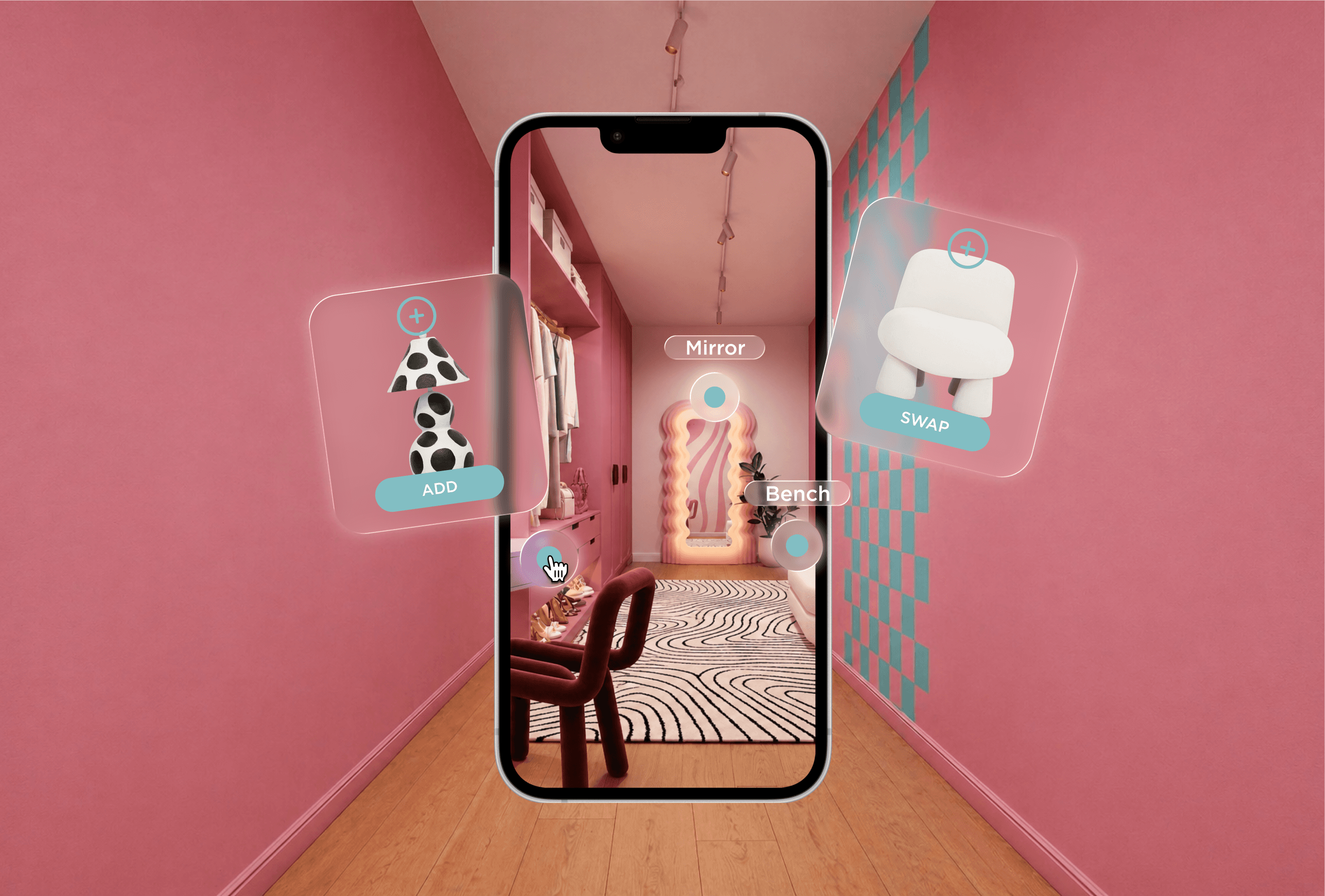
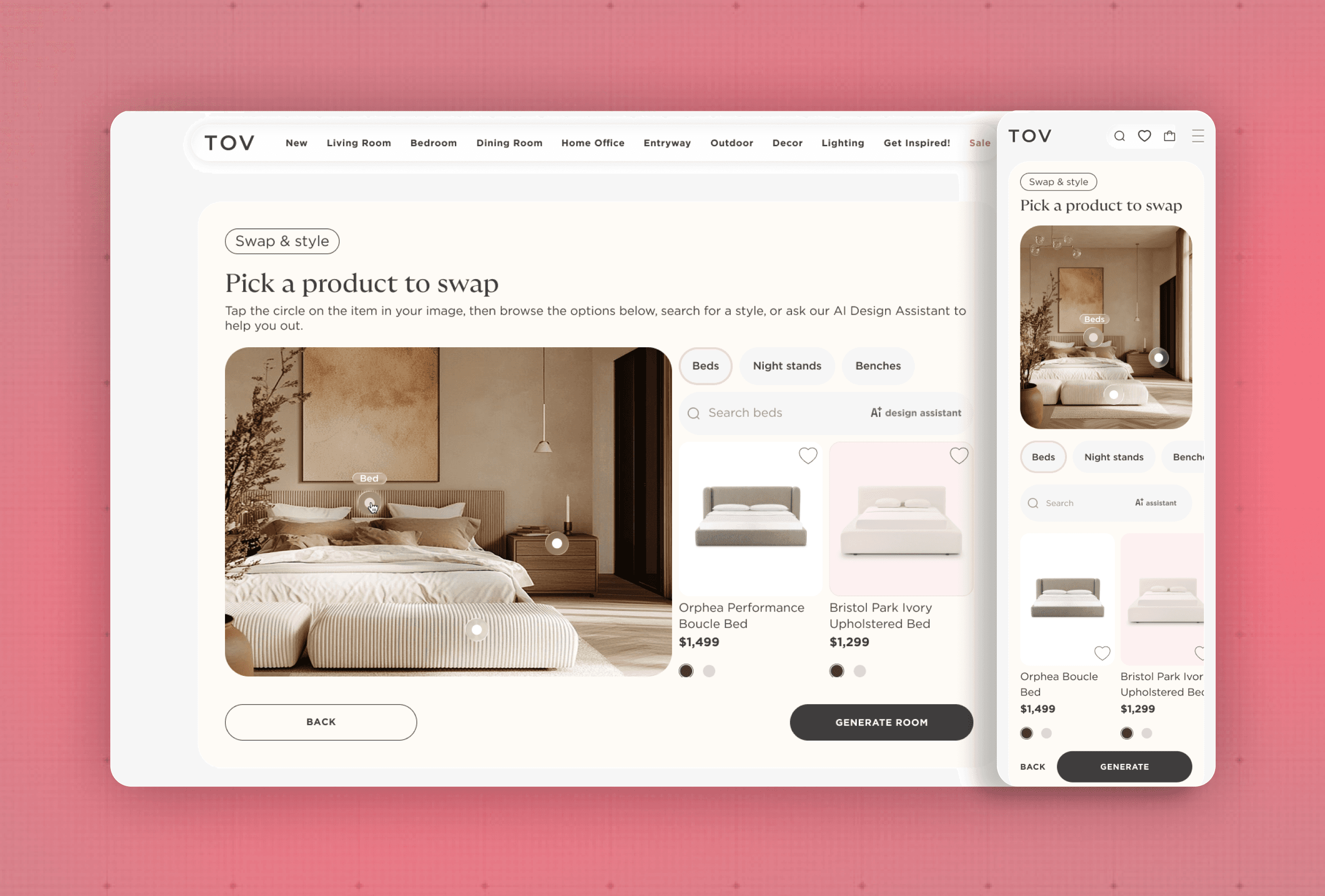
Detected furniture items are highlighted and clickable
Users can select a specific piece in their room
The system dynamically surfaces TOV products that match the same category
This creates a seamless bridge between the user’s real space and the product catalog.
Step 4: Personalization & Regeneration
Users can:
Choose a suggested product
Refine results via AI chat assistance
Use manual search for more control
After selecting a product, users regenerate their room:
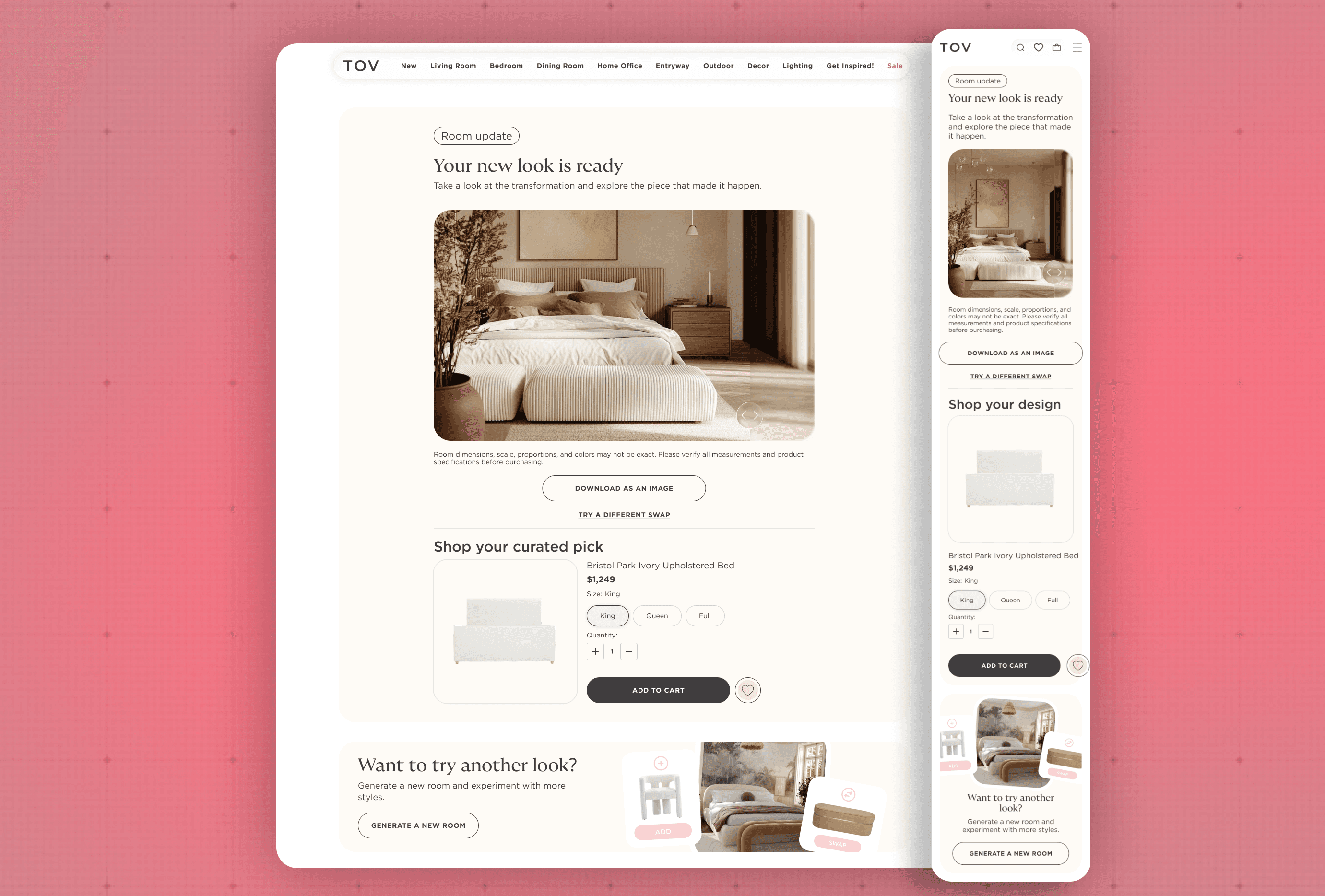
The AI replaces the selected item with the chosen TOV product
A new, realistic visualization is generated
From here, users can:
Add the product directly to cart
Continue iterating with new options